

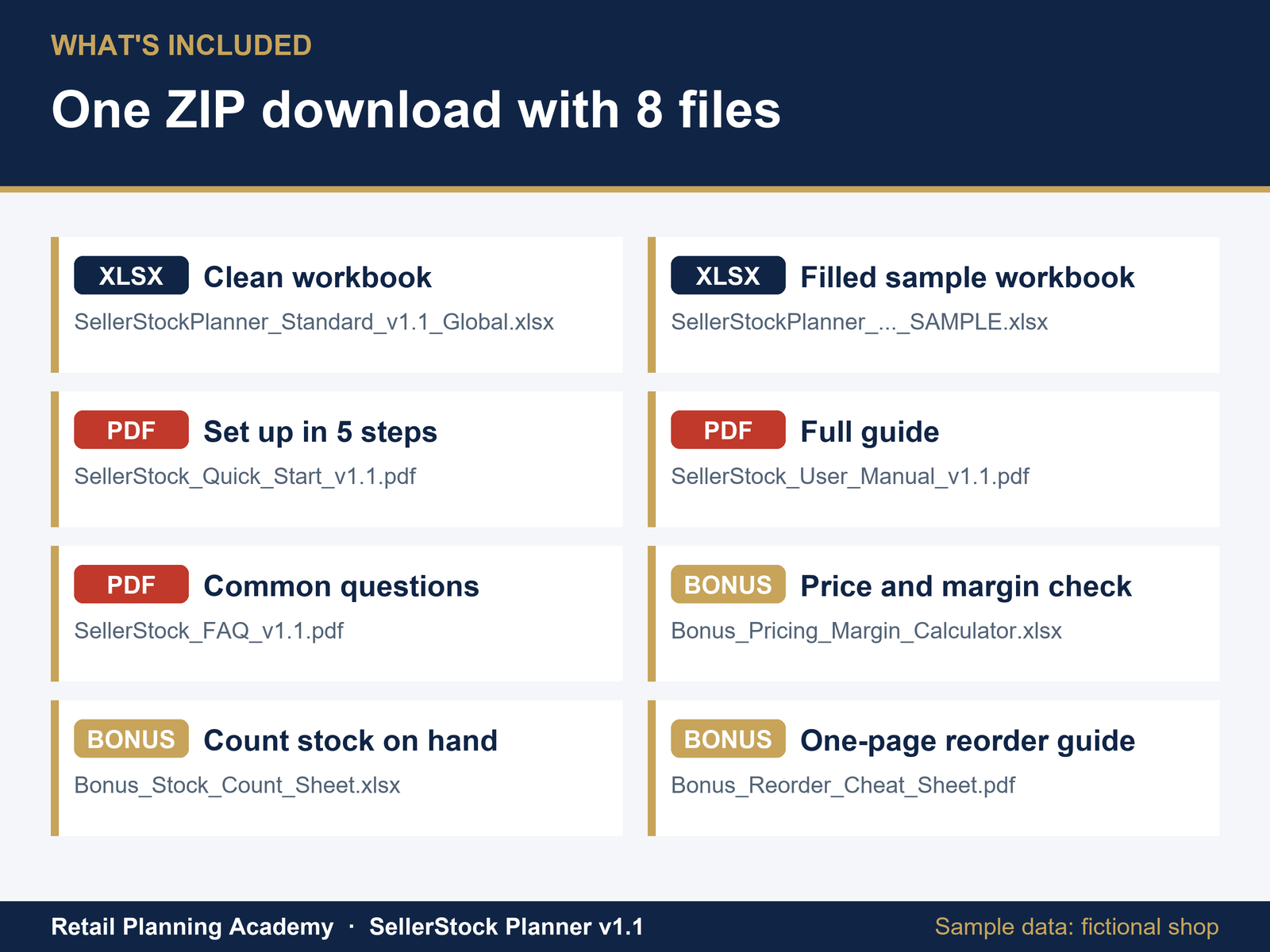
SellerStock Planner
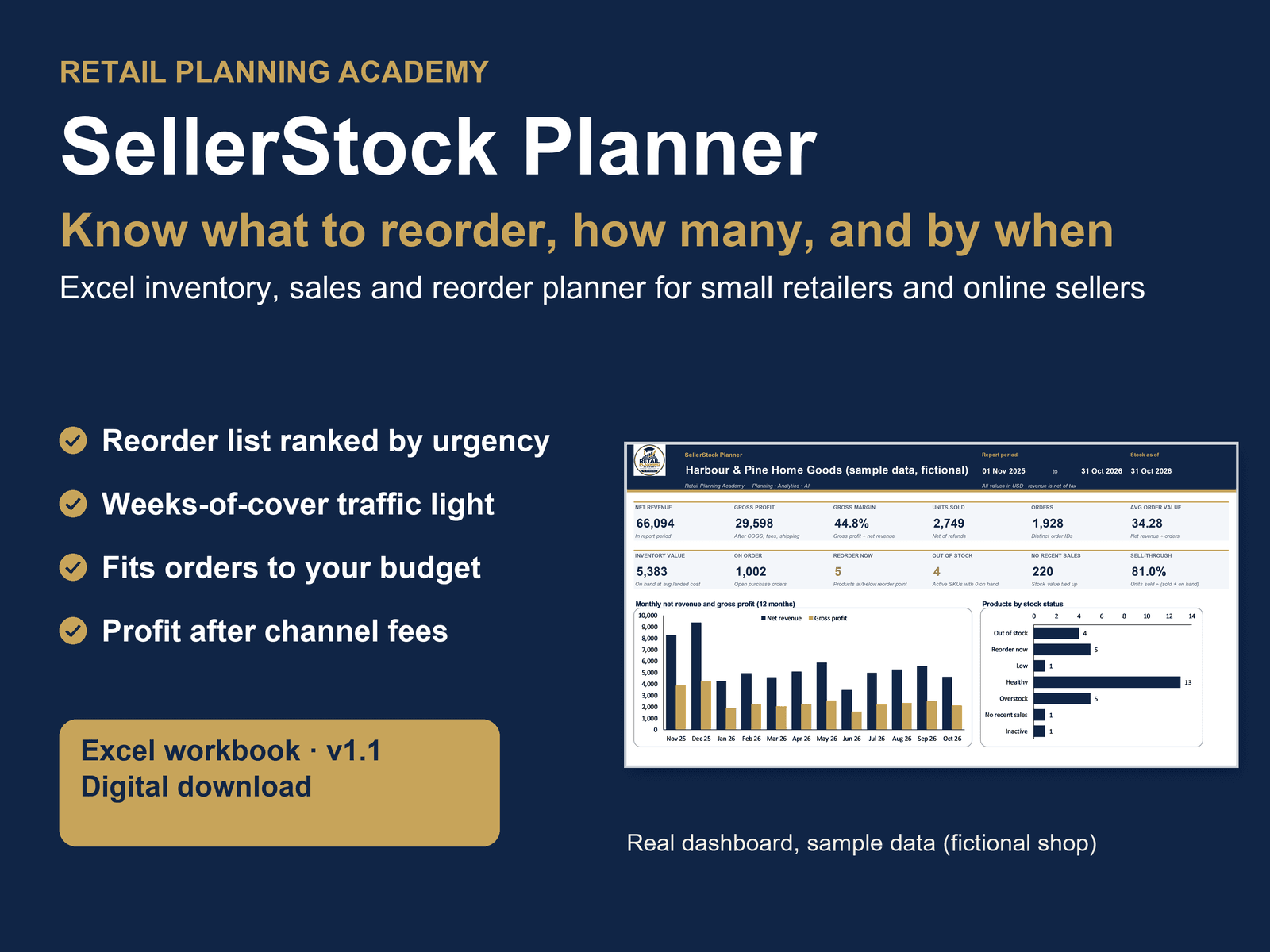
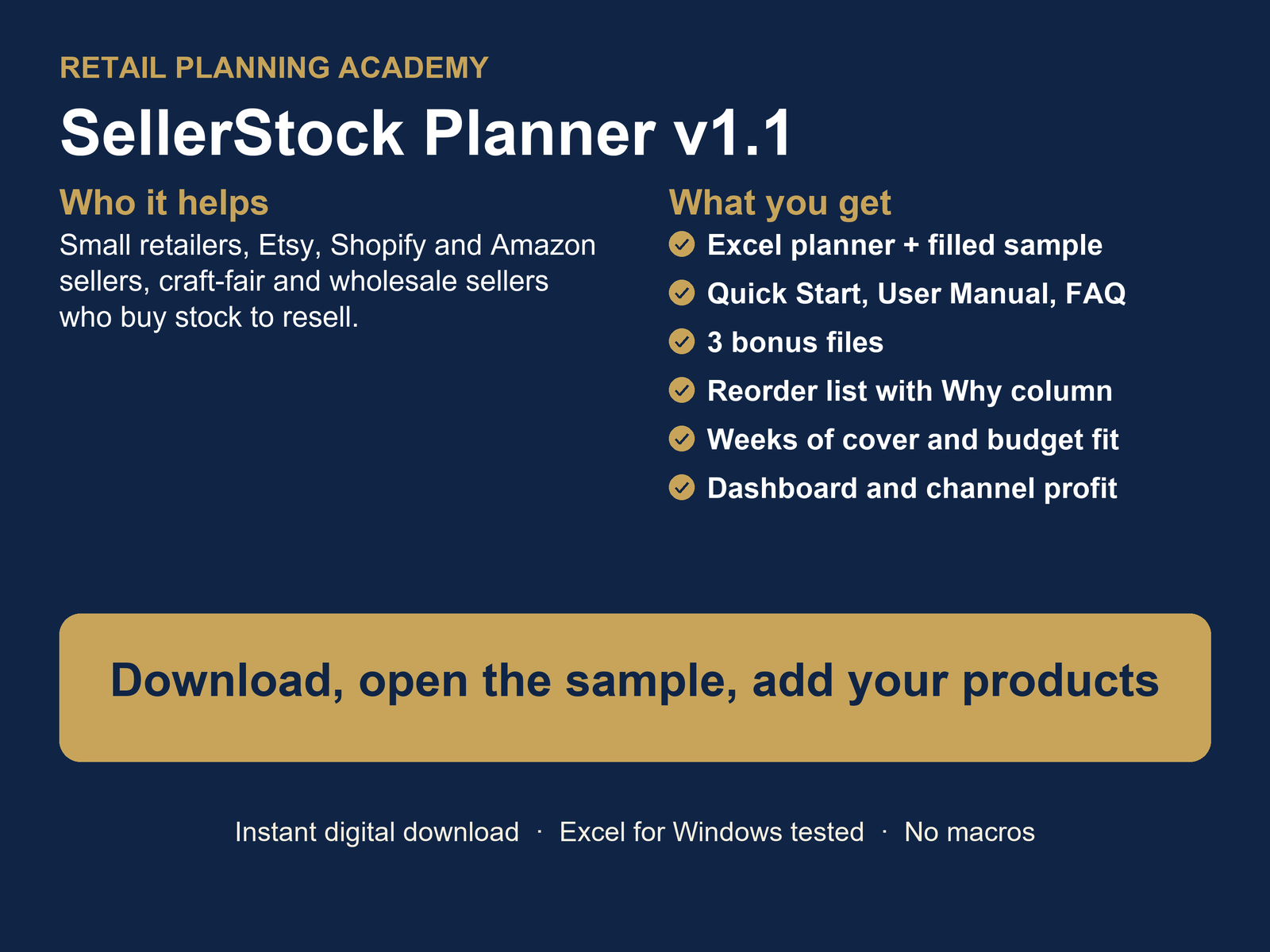
Know what to reorder, how many, and by when. An Excel inventory and reorder planner for small retailers and online sellers.
- Secure, time-limited download link after verified payment
- Single-user licence — read the licence
- Refund policy
About this product
An Excel workbook for small retailers and online sellers who buy stock to resell. Record products, purchases and sales; the planner keeps stock up to date, shows profit after fees and landed cost, and ranks what to reorder within your budget.
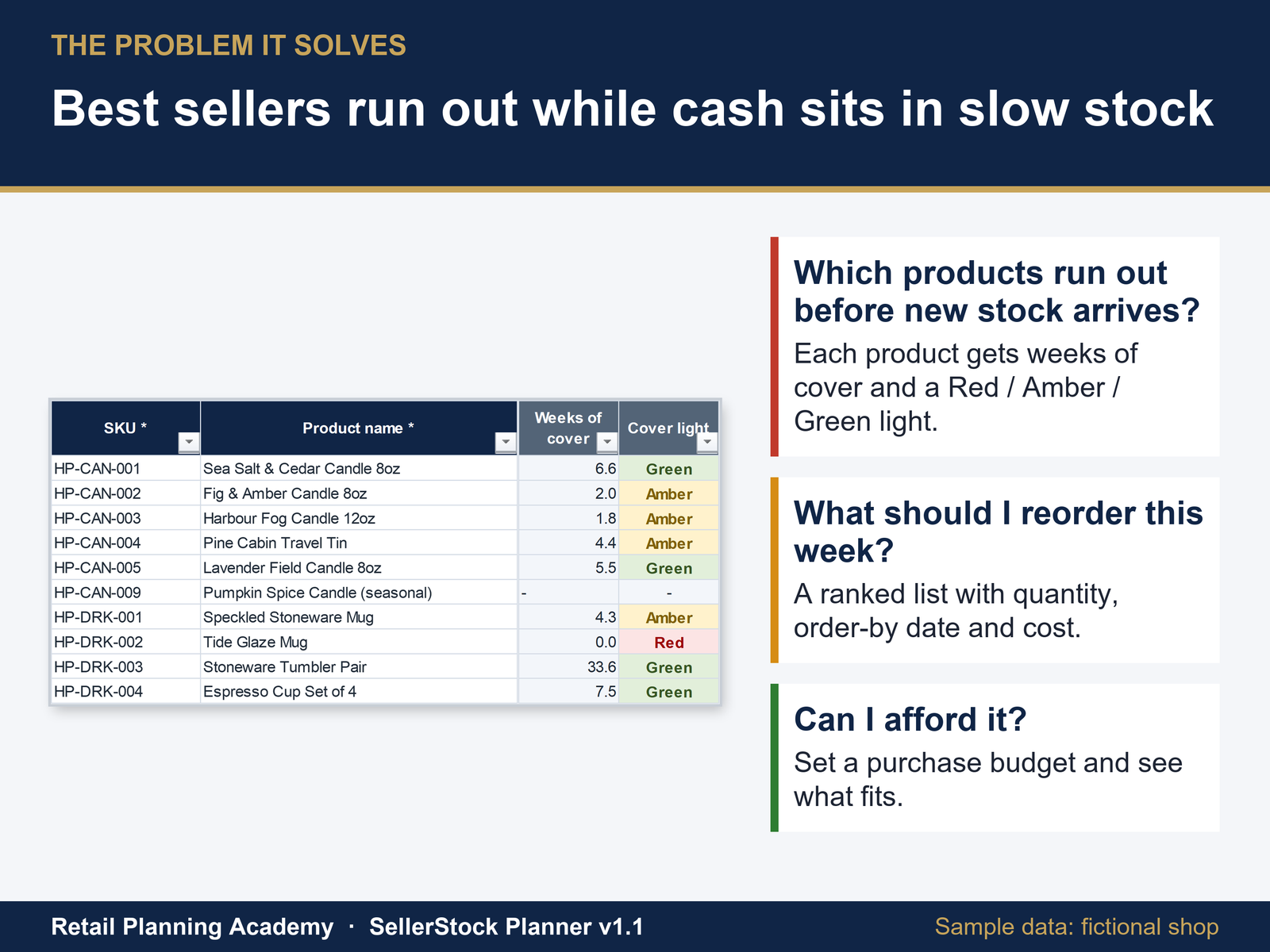
Best sellers run out while cash sits in slow stock. SellerStock Planner answers three questions every week: which products will run out before new stock can arrive, what to reorder and how many, and what you can afford right now.
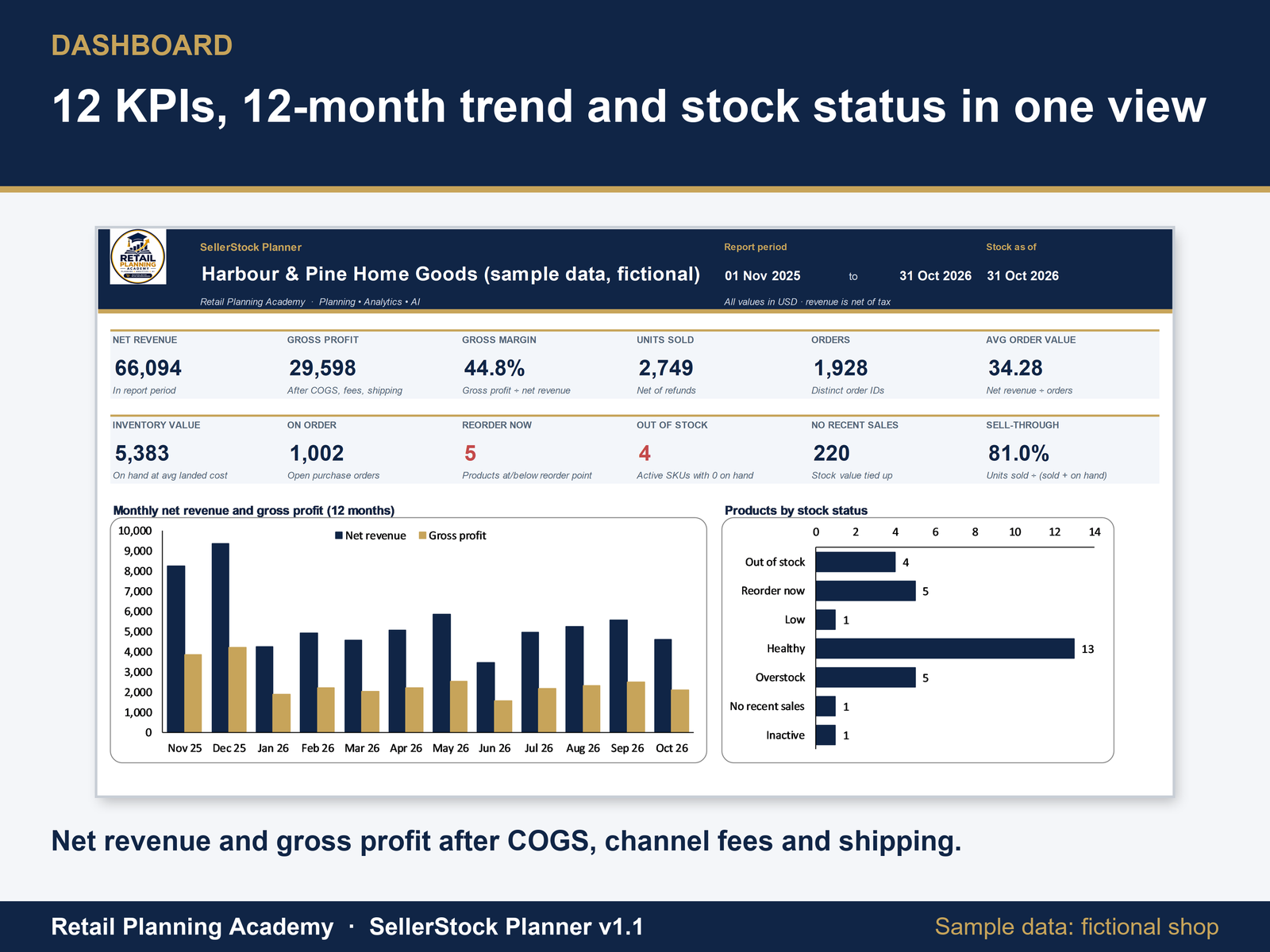
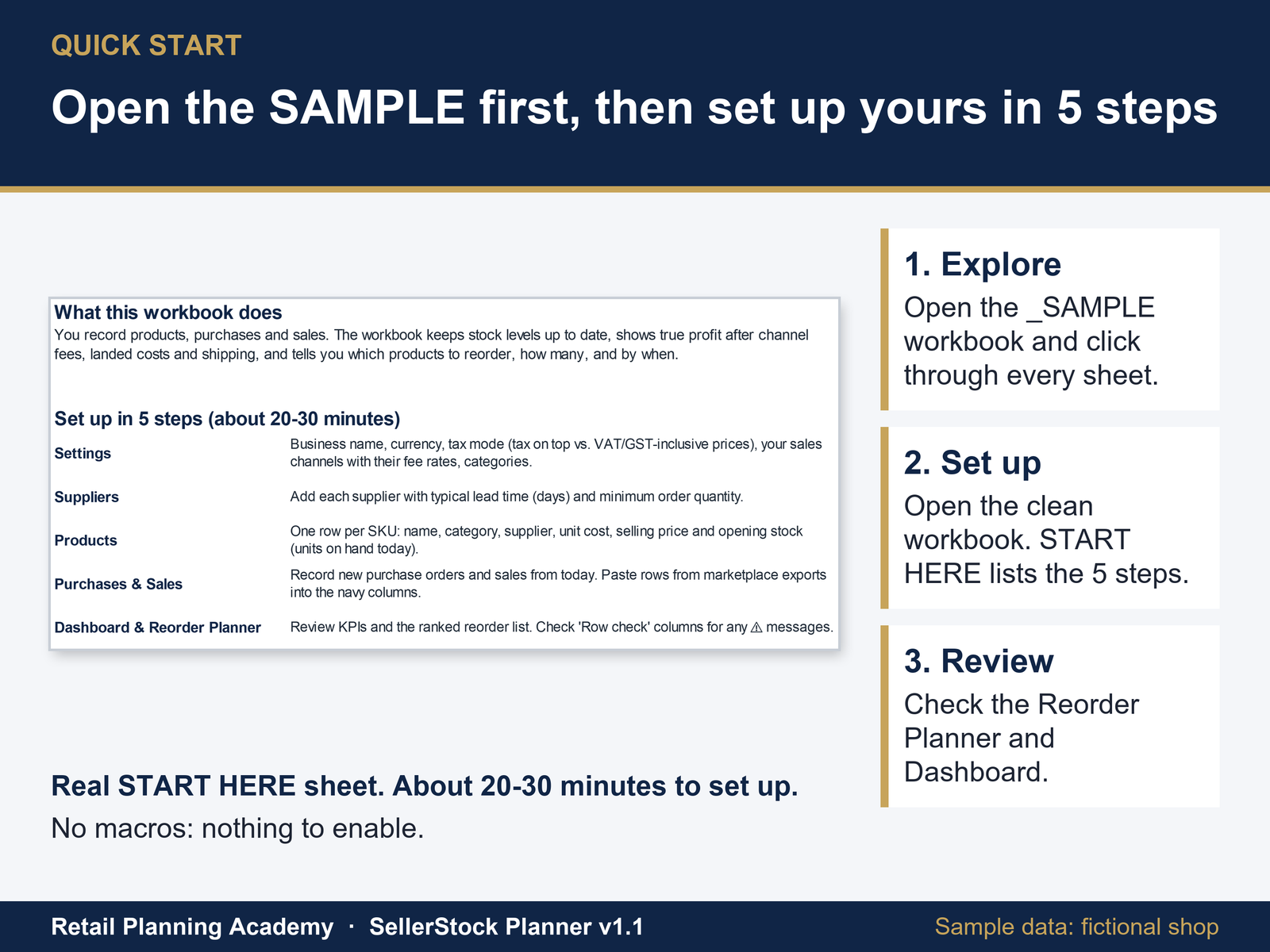
How it works: set up once (about 20-30 minutes): business settings, sales channels and fees, suppliers with lead times and minimum order quantities, and your products. Record as you go: purchases (with freight and duty), sales and refunds, and stock adjustments. Paste marketplace exports with Paste Special > Values. Then open the Reorder Planner and Dashboard. Every suggestion comes with a reason.
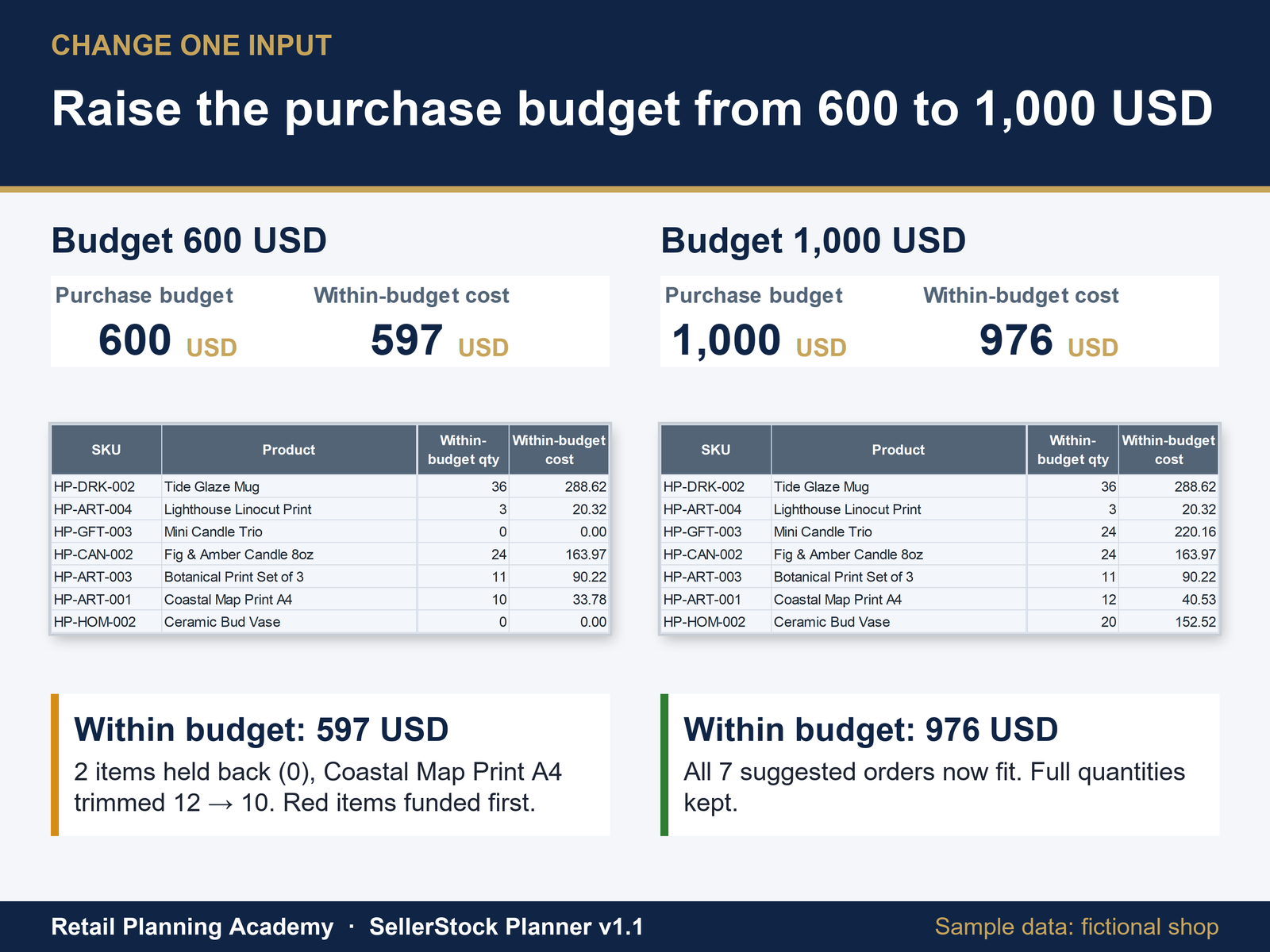
Example from the sample shop: with a 600 USD budget, the planner funds both out-of-stock items first, trims one print to 10 units and holds two items back (597 USD within budget). Raise the budget to 1,000 USD and all 7 suggested orders fit (976 USD).
Key benefits
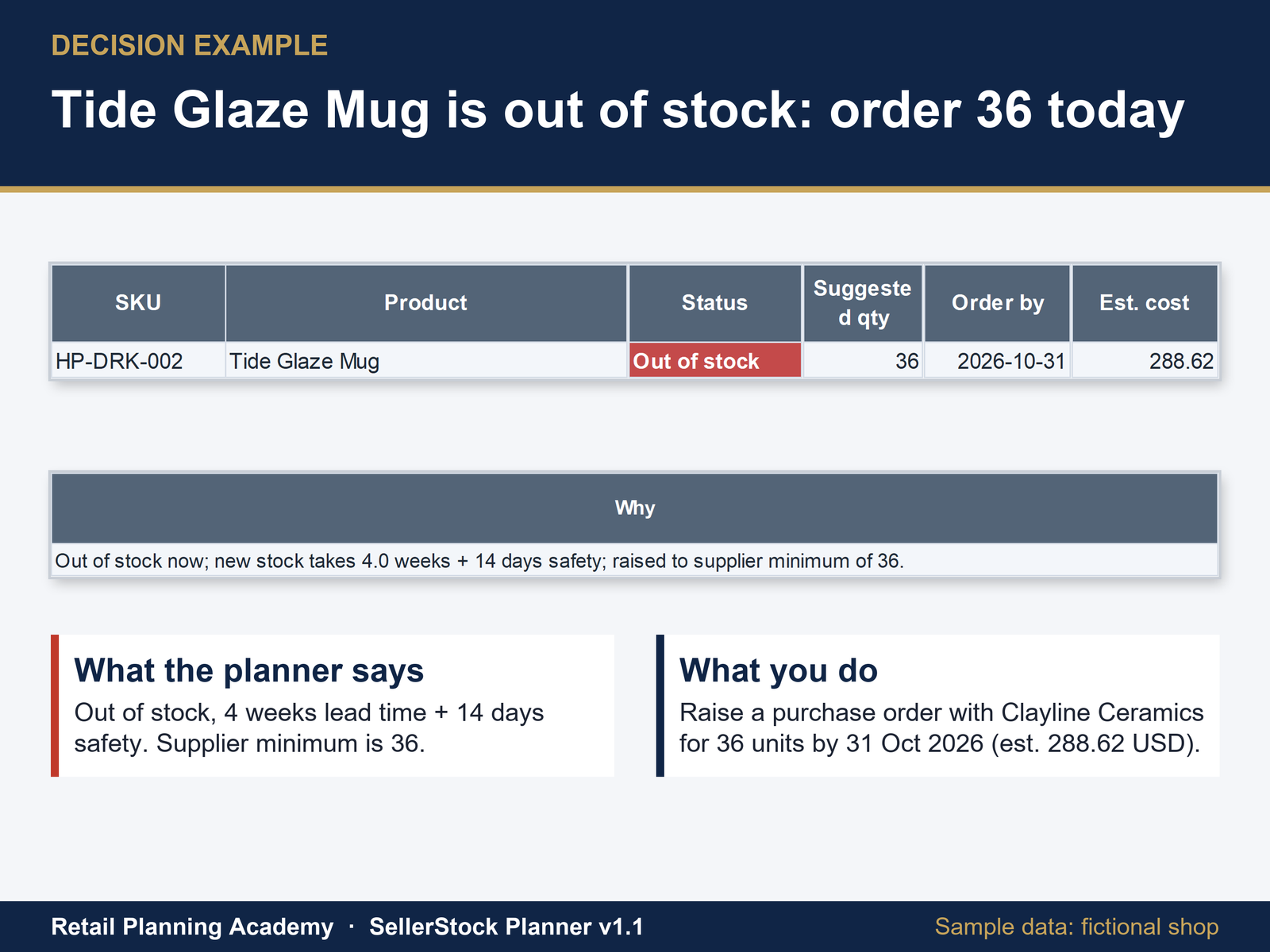
- Reorder with confidence: a ranked reorder list with suggested quantity, order-by date and estimated cost.
- See risk at a glance: weeks of cover and a Red / Amber / Green light for every product.
- Stay inside your budget: set a purchase budget; Red items are funded first, then the products that earn the most per day.
- Understand every number: a plain-English "Why" column and a Data Dictionary that defines every metric.
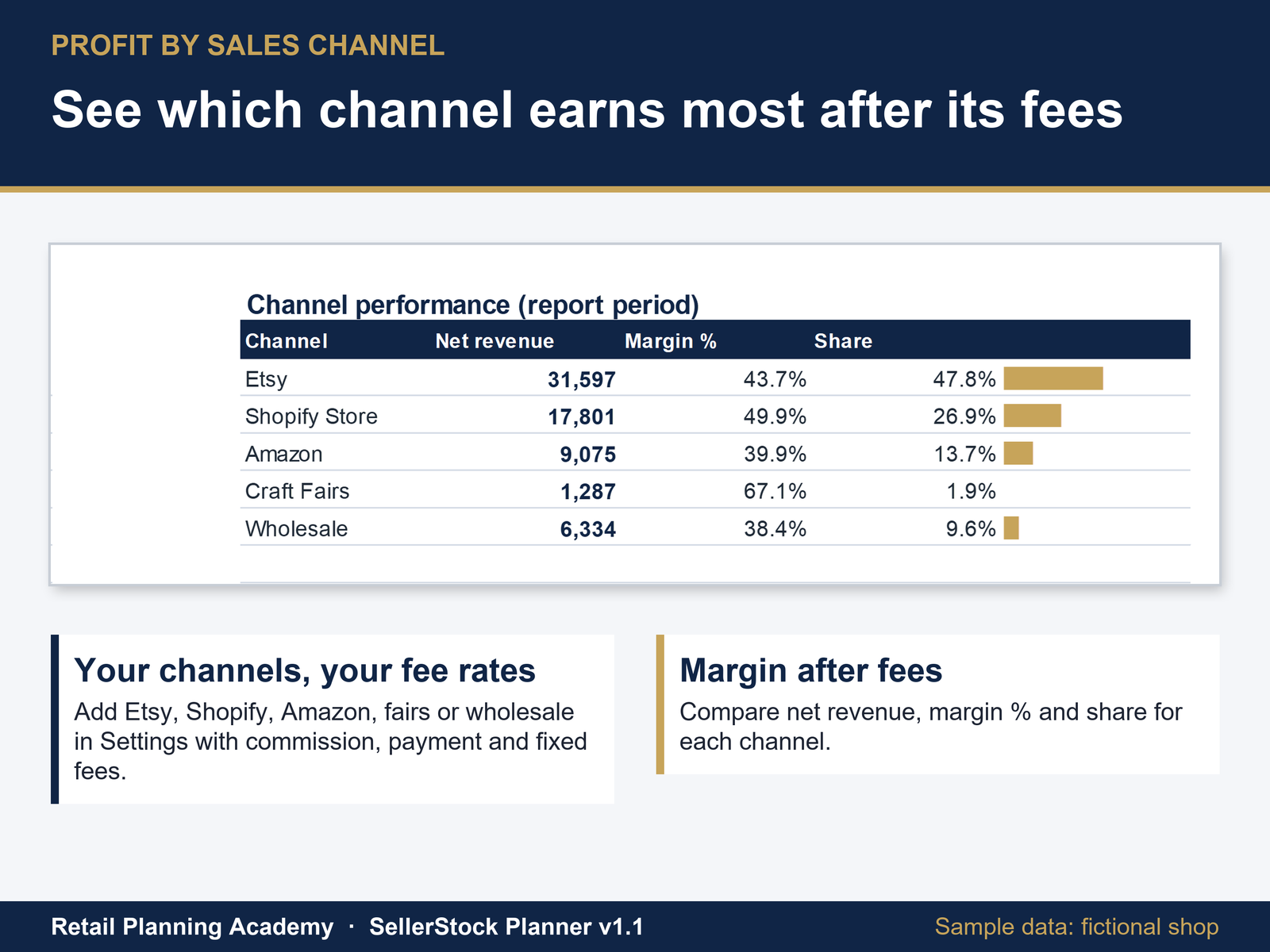
- Know your real profit: margin after COGS, channel fees and shipping, by product and by channel.
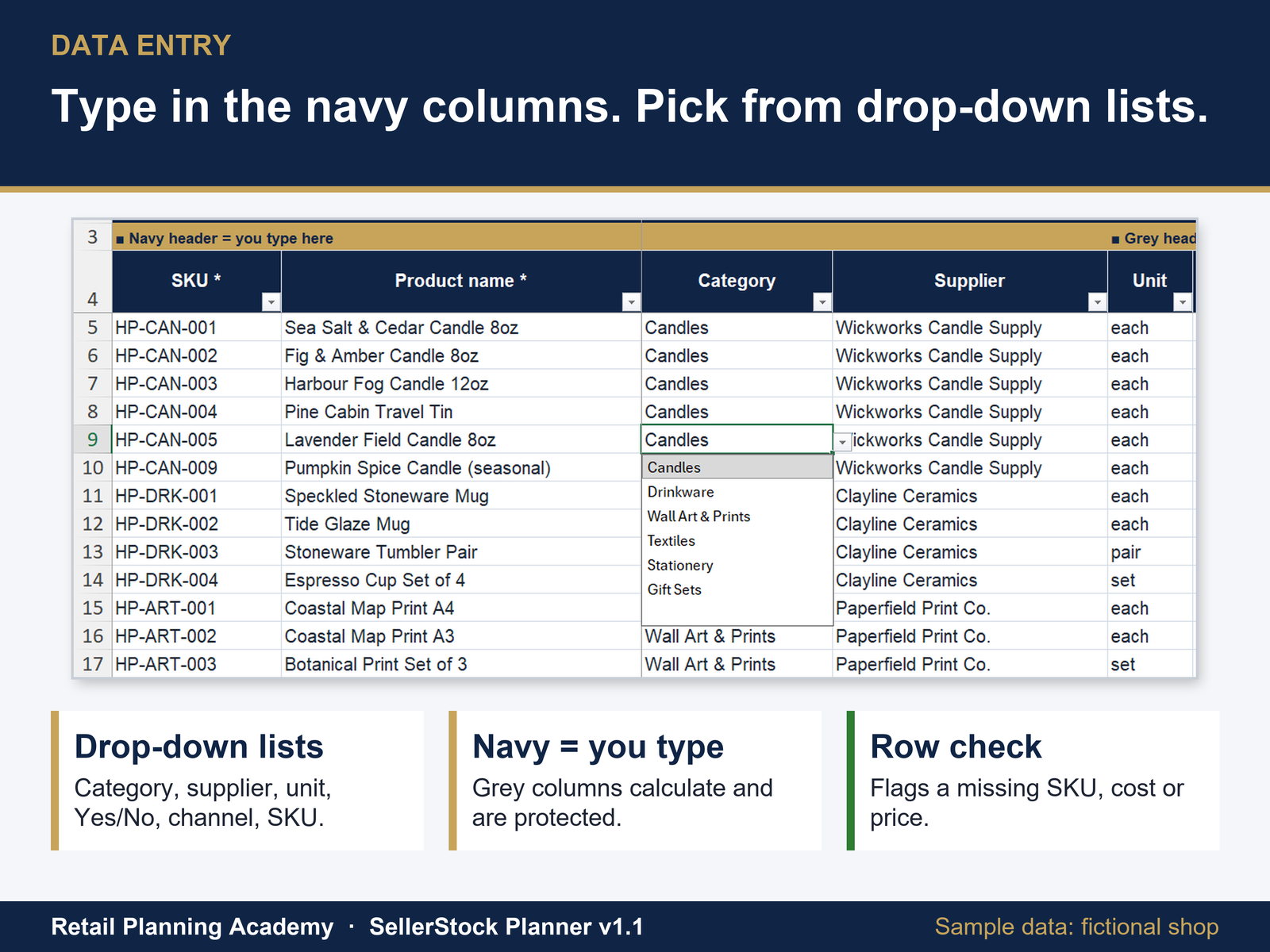
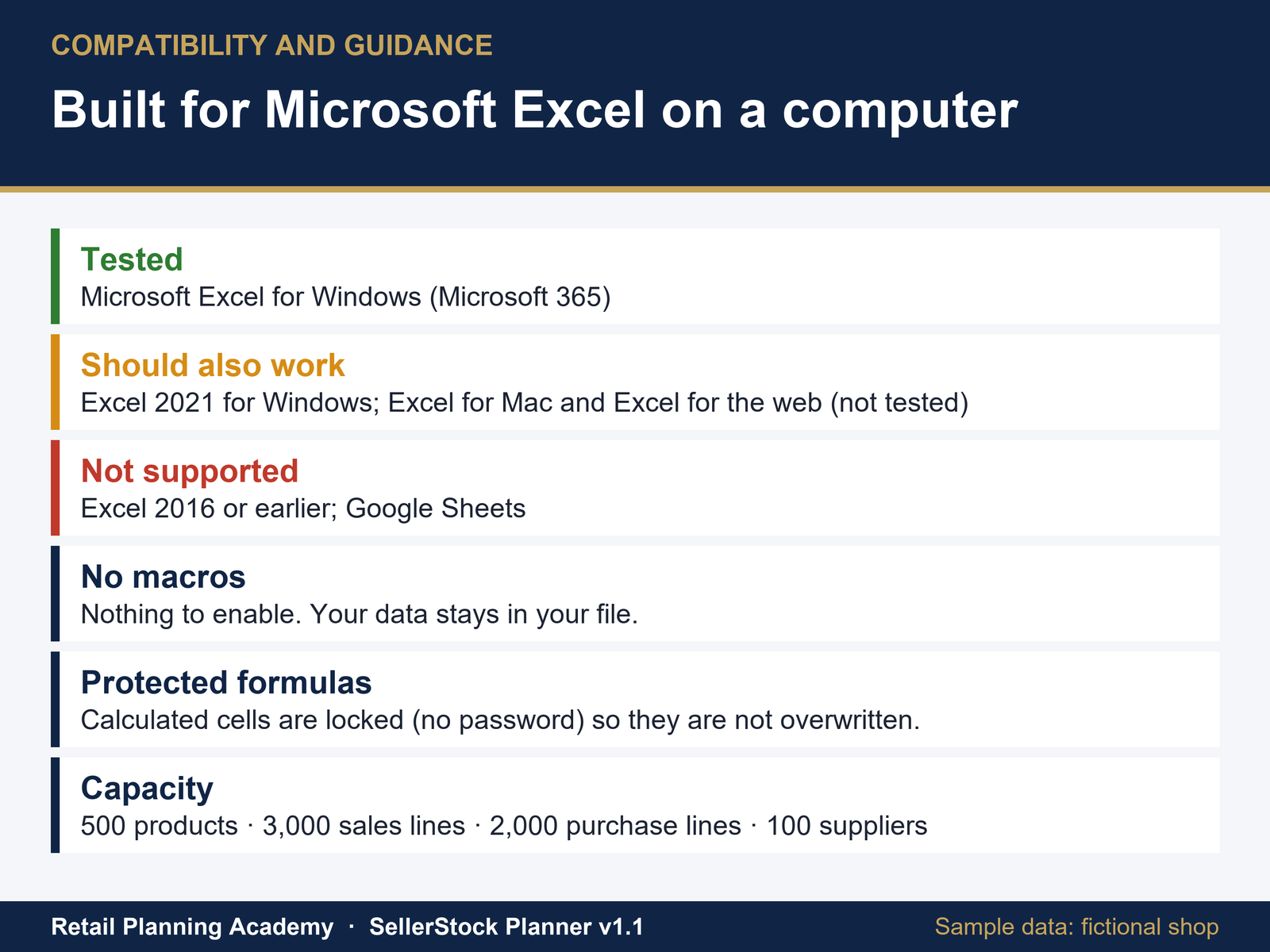
- Keep data clean: drop-down lists, row checks and protected formulas (no password).
Features
Known limitations
As documented in the workbook itself, so you can judge whether this edition fits your needs.
- Fee rates in Settings are examples; enter your own current rates.
- Planning support only; not accounting, tax or legal advice.
- Licensed for use within one business. Consultants need a licence per client business. Reselling or sharing the files is not permitted.